![oa-white-full.png]](https://help.oxfordabstracts.com/hs-fs/hubfs/oa-white-full.png?height=36&name=oa-white-full.png)
The guidance below is for event administrators/ organisers. If you are an end user (eg. submitter, reviewer, delegate etc), please click here.
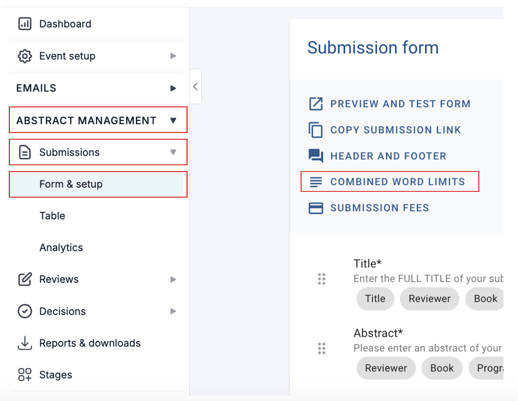
Go to Event dashboard → Abstract Management → Submission → Form & Setup → Combine Word Limits.
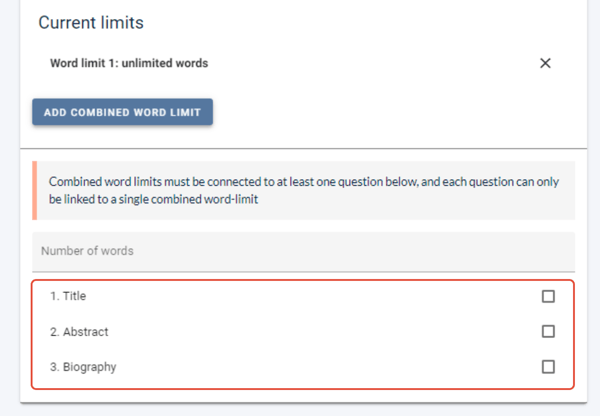
All short text and text editor questions will be displayed.
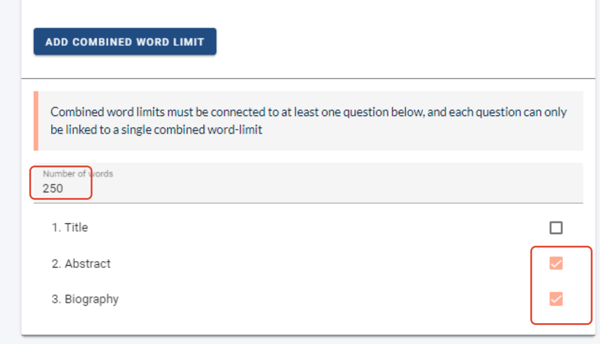
Enter a word limit and choose which questions you would like the word limit to apply to.
Removing a Combined Word Count
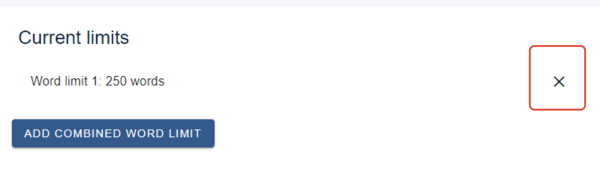
To remove a combined word count, click the x alongside the relevant one under Current limits.