![oa-white-full.png]](https://help.oxfordabstracts.com/hs-fs/hubfs/oa-white-full.png?height=36&name=oa-white-full.png)
Go to Event dashboard → Symposium Tab → Dashboard
Scroll down to the Reviews section.
To the right of the panel, you will see Review status and a toggle underneath it saying Open or Close.
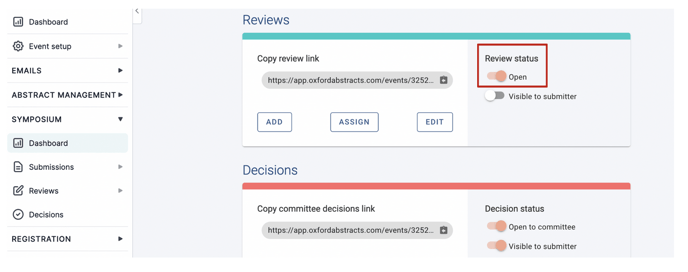
Simply click the toggle to open reviews (when open the toggle will be a peach colour) and when closed it will be a grey colour.
For guidance, please see Opening / closing abstract reviews.