
← Back to results
How attendees can download event schedules
For conference attendeesConference plansLast reviewed 28 July 2026
Learn how to download and print an events schedule.
You can now download the event schedule as a PDF.
From the Event Timetable, click on the Download Arrow at the top of the timetable.
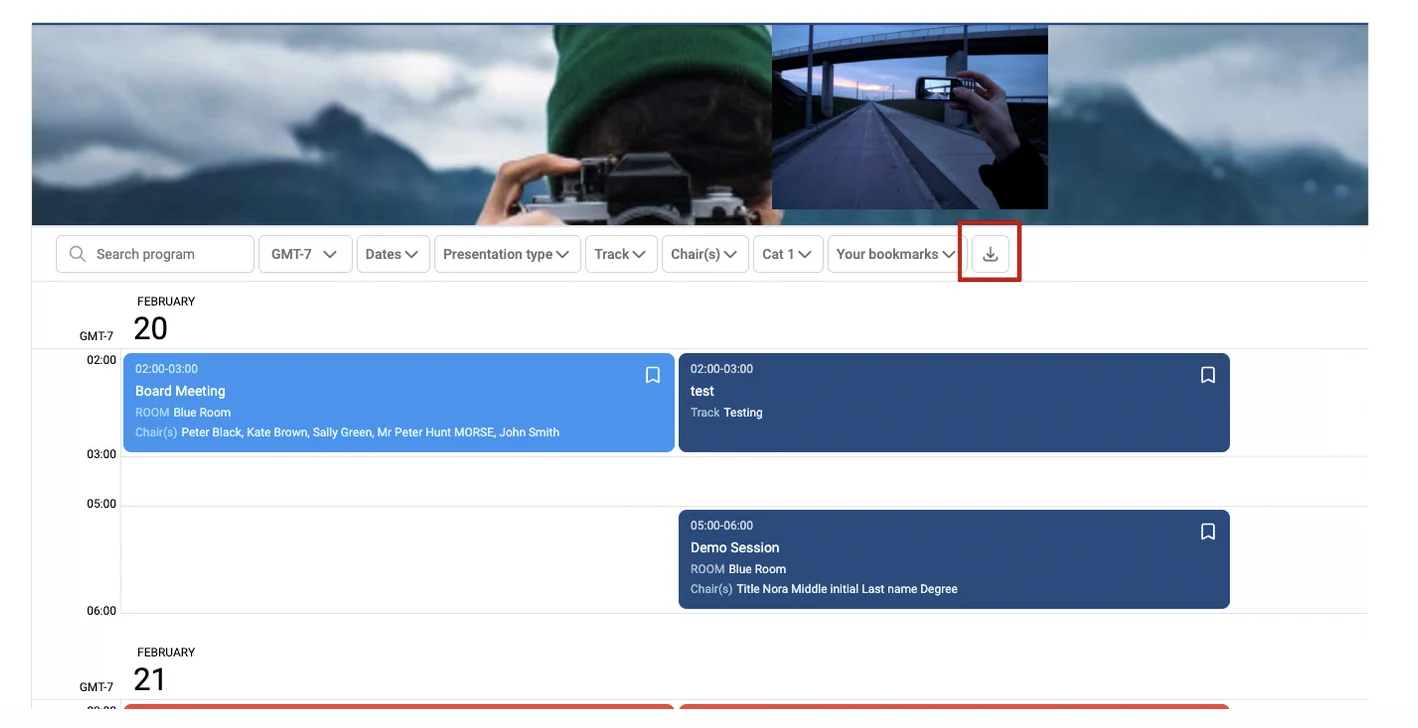
The timetable will now be downloaded to your desktop, which you can print if you wish.
You can still click on links found within the downloaded timetable.

This will take you to the session entry in the timetable, which has all the information about that particular session.
Should you need further assistance, please contact our support team.
Was this article helpful?
Contact supportRelated
Still stuck? Send us a ticket
Tell us what you're trying to do and one of our support team experts will come back to you promptly with the solution.