
Adding add-ons to an existing order
In this article, attendees will learn how to add, add-ons to an existing order.
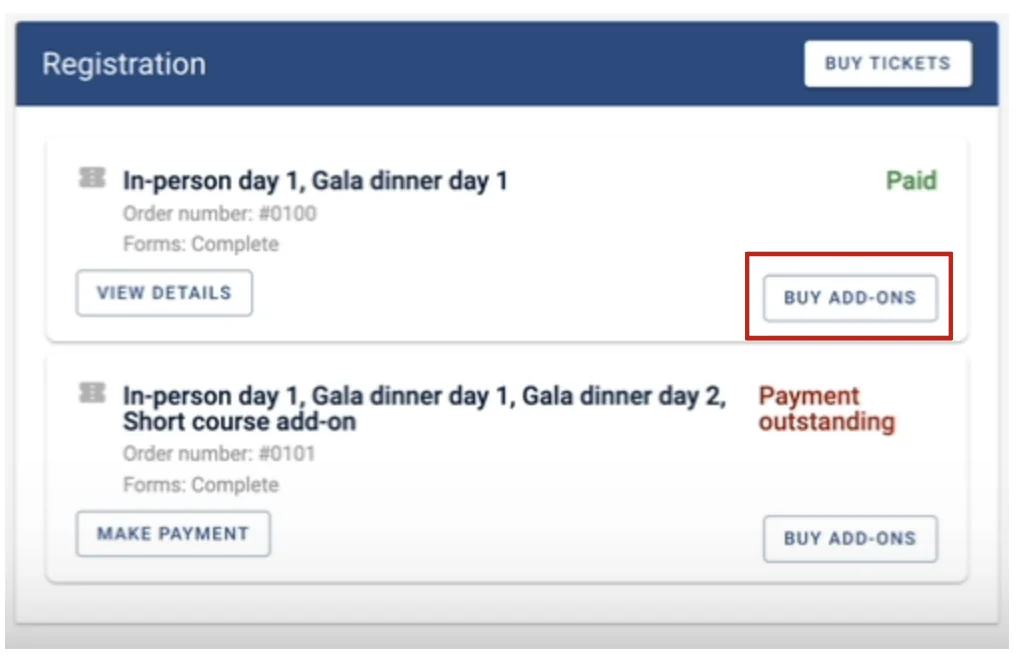
Once you have logged into your Oxford Abstracts Account, under the registration box go to the ticket box and click on Buy Add-Ons, on the relevant ticket.
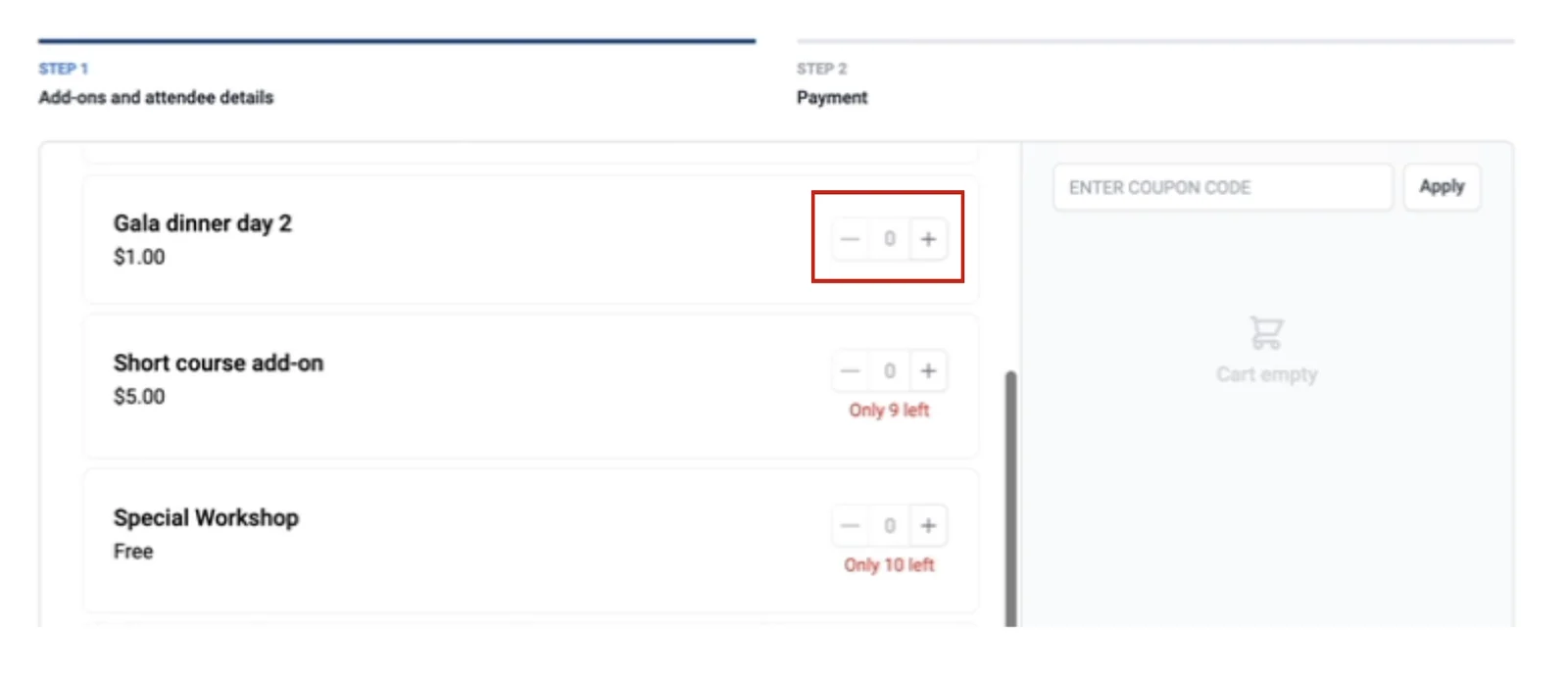
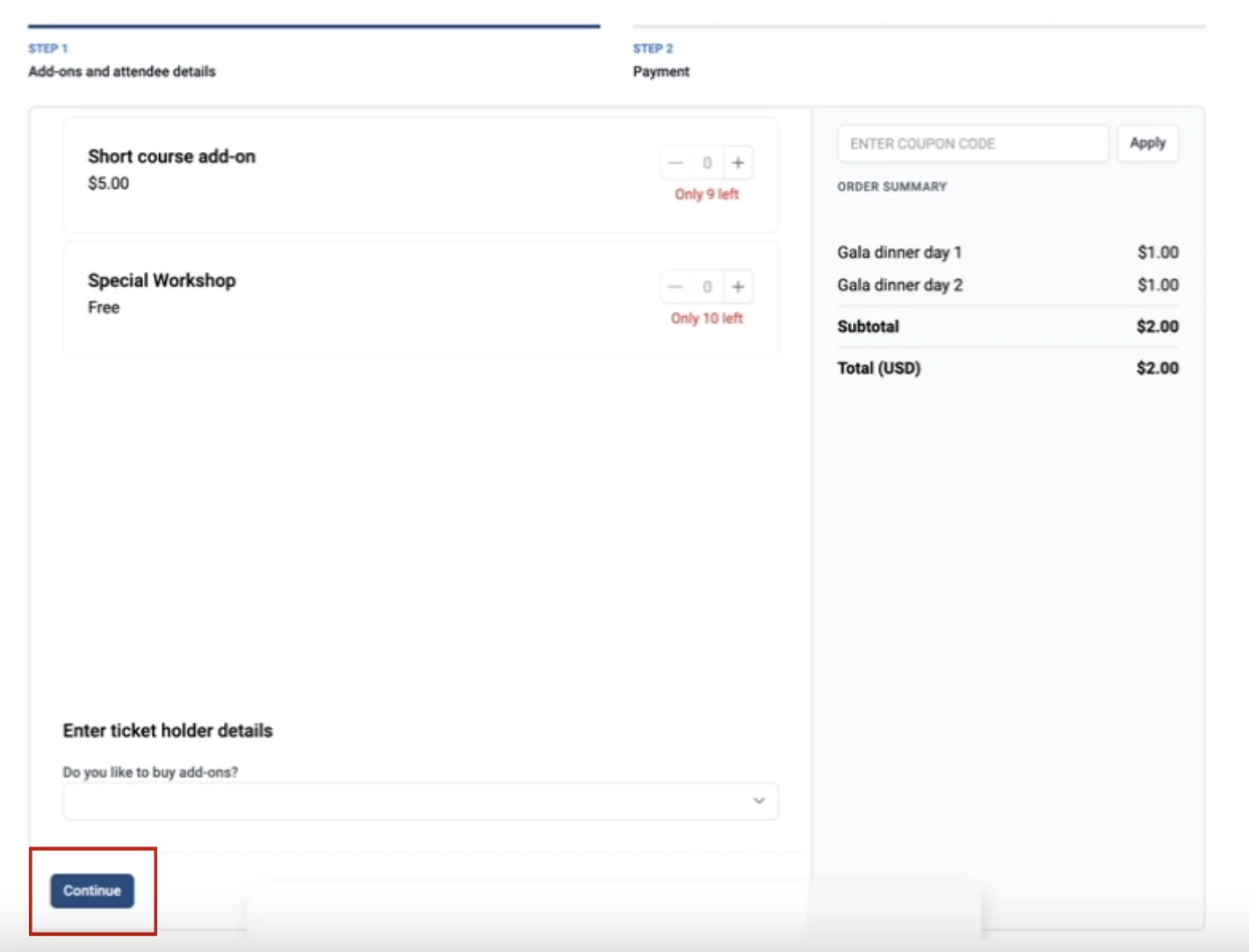
On the next screen, you’ll be able to view all the add-ons that are available for you to buy.
Click on the Plus button next to the add-on you would like to purchase.
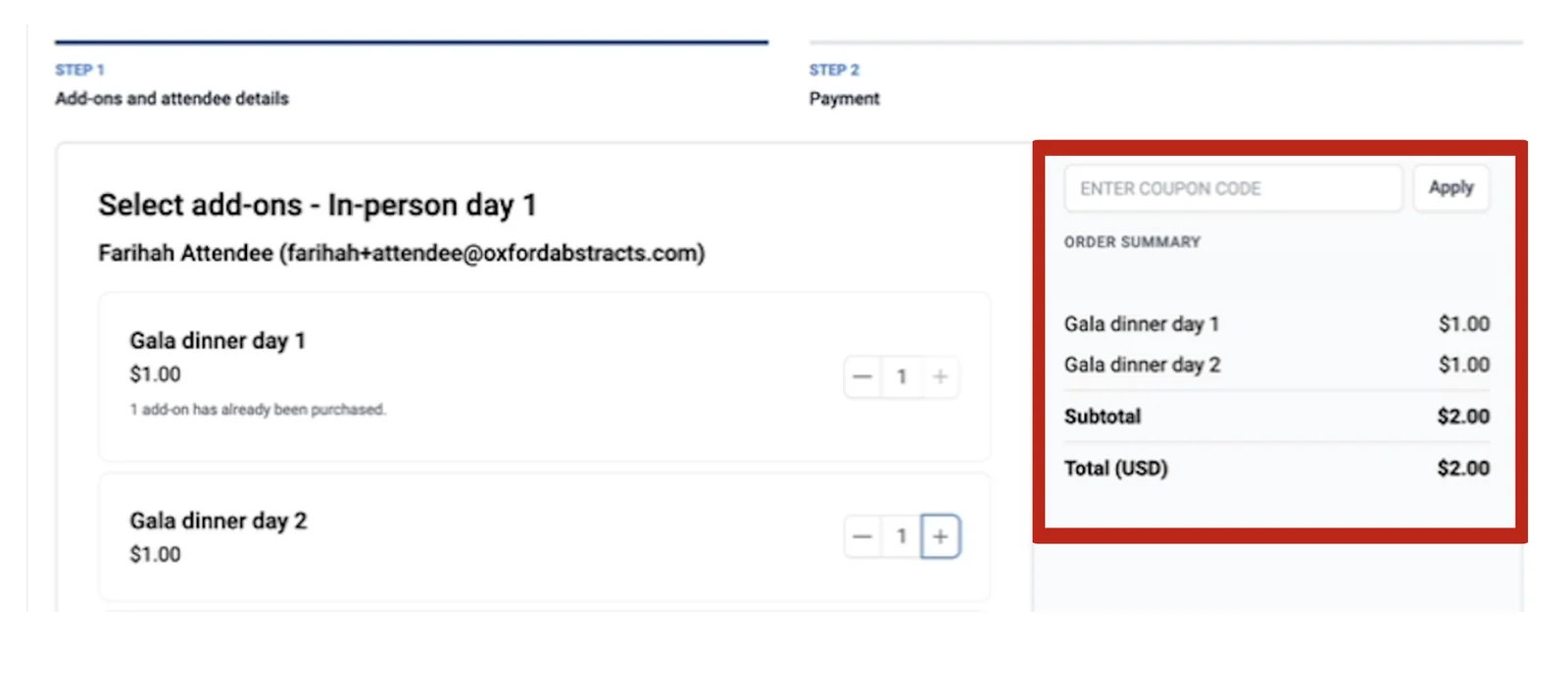
You will now see what you have selected on the screen to your right.
If there are any questions that you need to answer before purchasing the add-ons, these will be at the bottom of the page for you to answer.
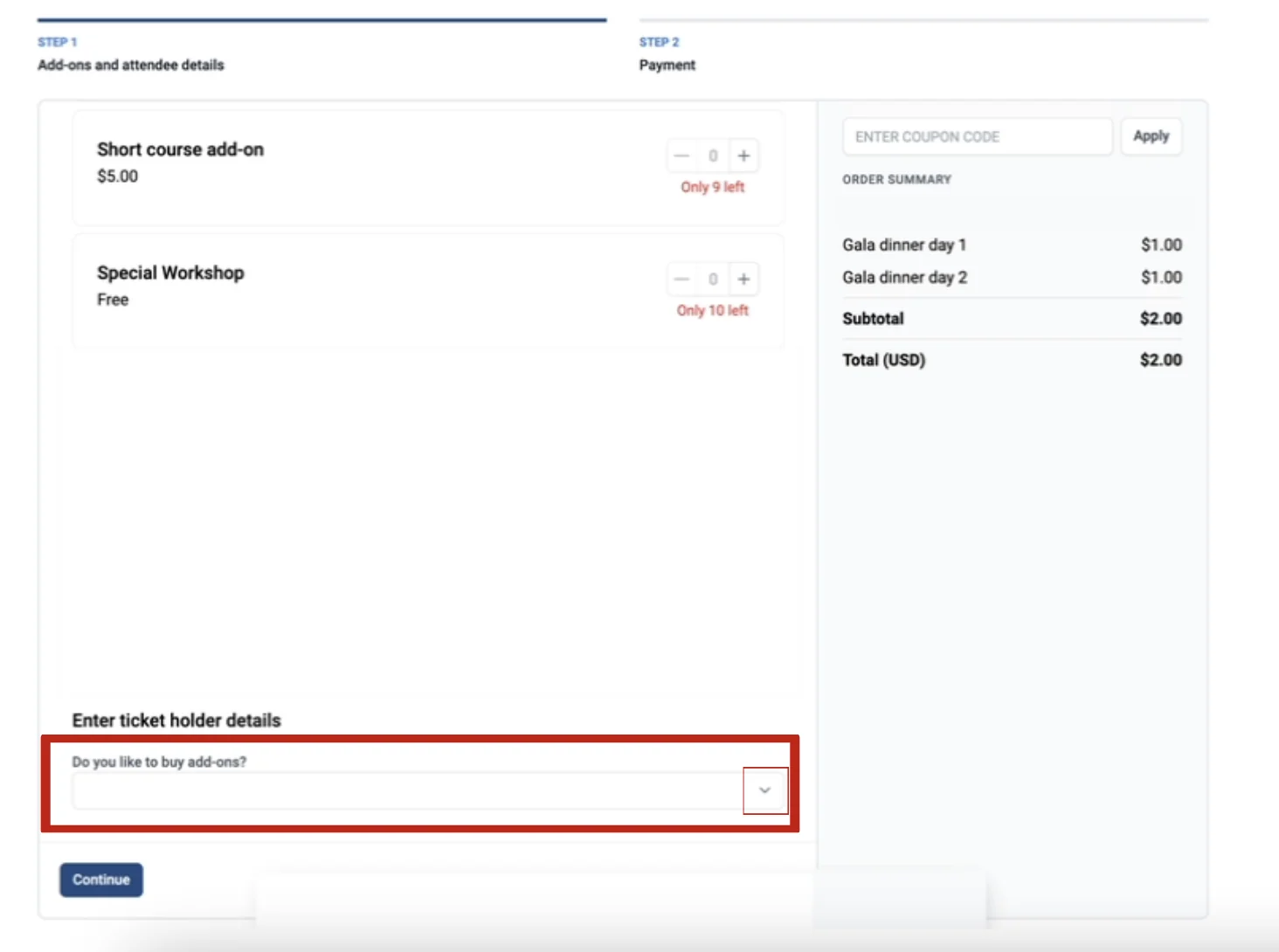
When you have selected the add-ons you’d like to purchase and answered any associated questions, click the continue button at the bottom of the page.
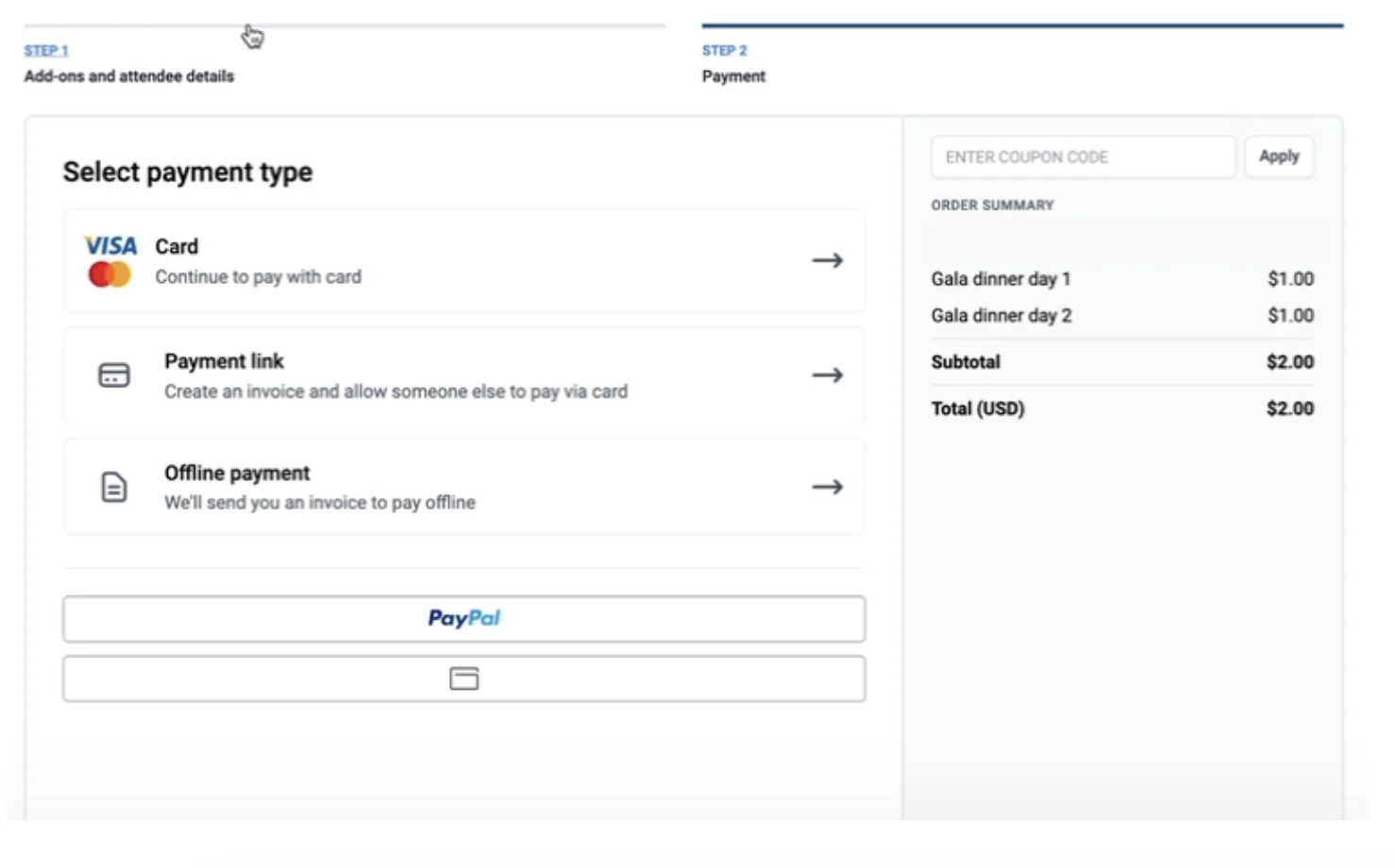
You will now be taken to the Select Payment Type screen, where you select which payment method you would like to use to pay and follow the instructions.
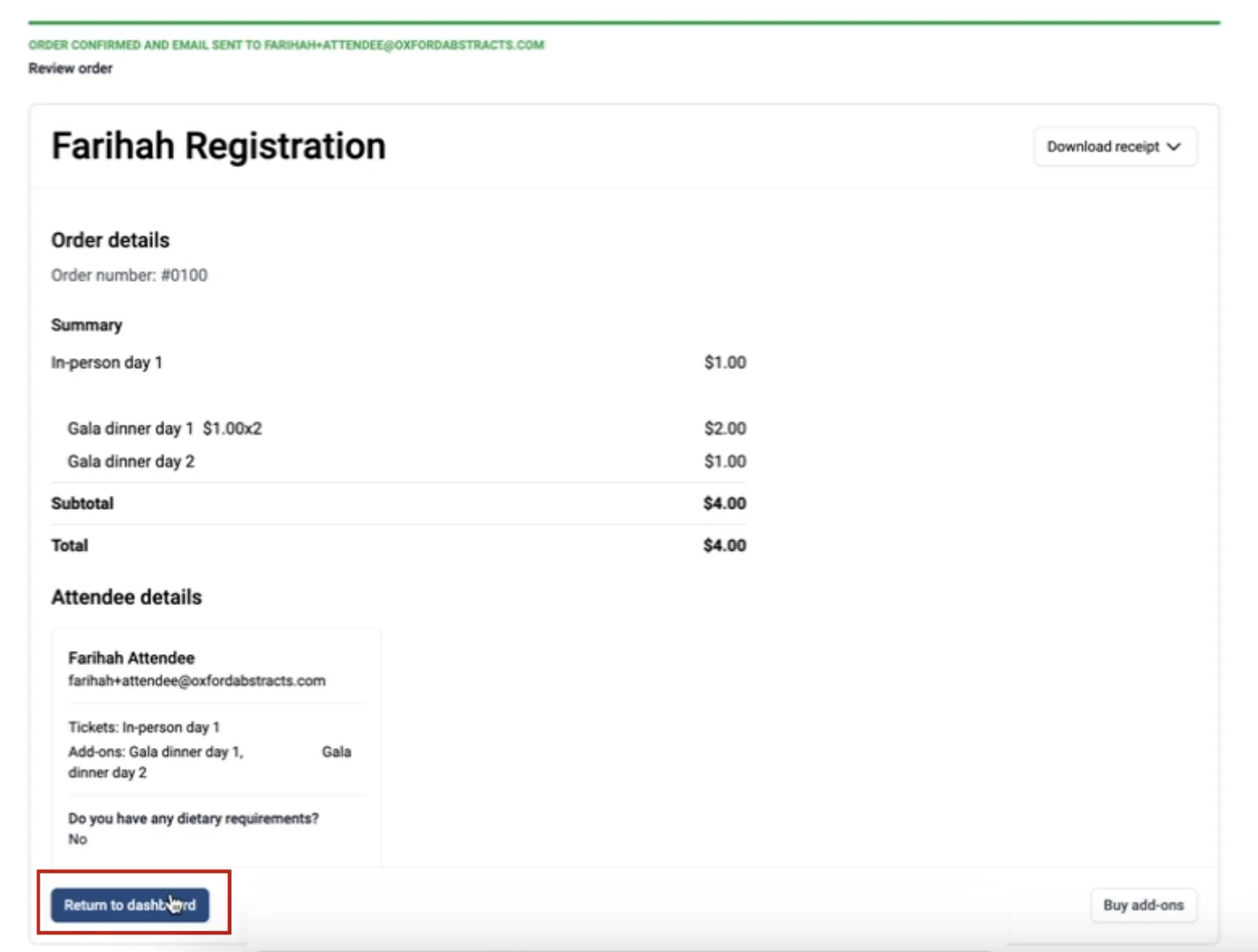
When you have finished paying for your add-ons, you will see the next screen.
From here click on the Return to Dashboard button at the bottom of the page.
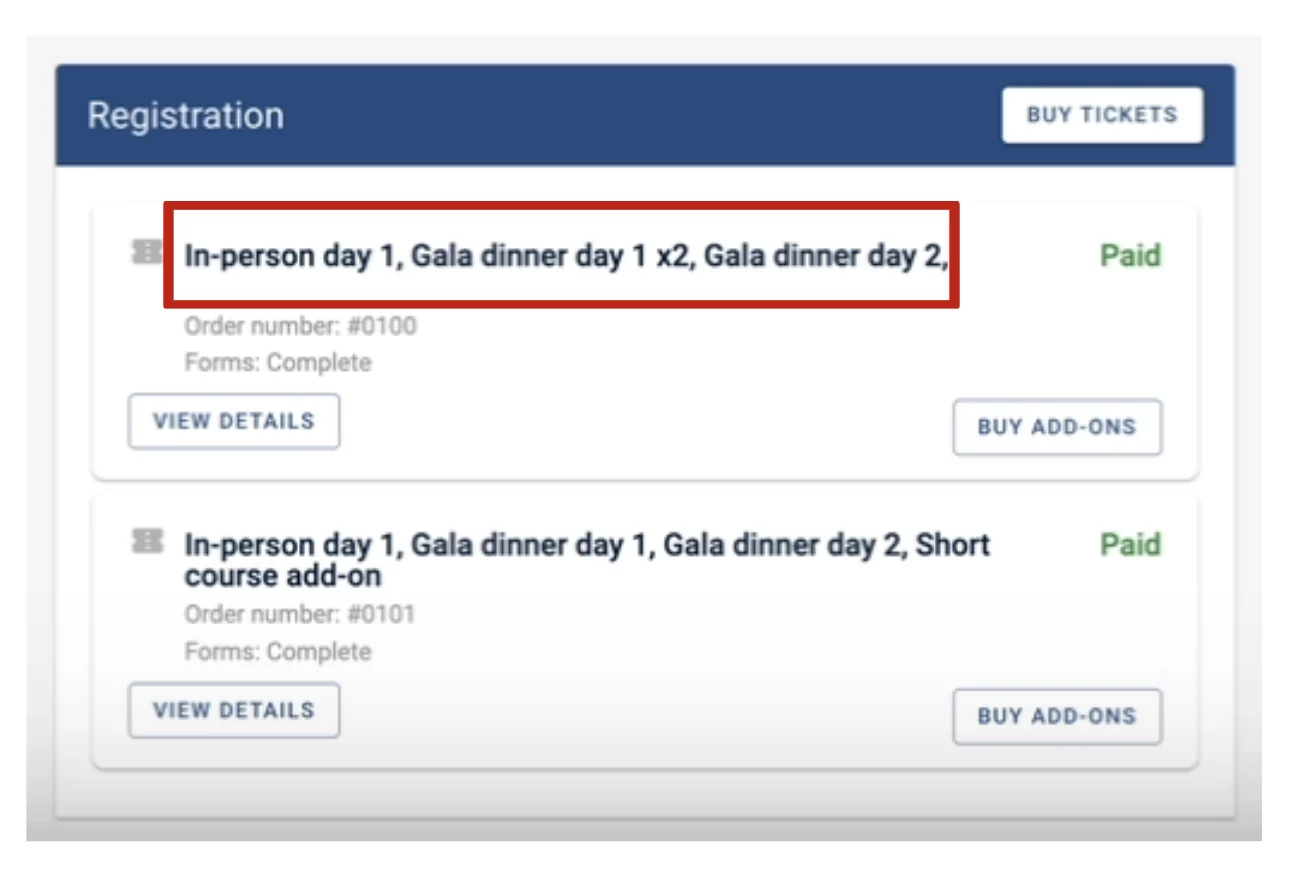
On your dashboard under Registration, you will see now see the add-ons you have just purchased under the corresponding ticket.
Should you need further assistance, please contact our Support Desk via our Contact Form.
Common questions#
If a delegate has already registered and paid, can a delegate then add event tickets at a later date?#
Delegates can only purchase one fee option, but are permitted to purchase multiple event tickets. If at a later date they require additional tickets, admins can do this on their behalf. See Deleting or changing the status of a registration.
Was this article helpful?
Contact supportRelated
Still stuck? Send us a ticket
Tell us what you're trying to do and one of our support team experts will come back to you promptly with the solution.