
Abstract books
You can easily create a range of abstract books, which include the responses to various fields from the abstract submission form.
Go to Event dashboard → Abstract management → Reports & downloads
The abstract book options will be displayed. Choose an html, Word doc or PDF file and click the appropriate button.
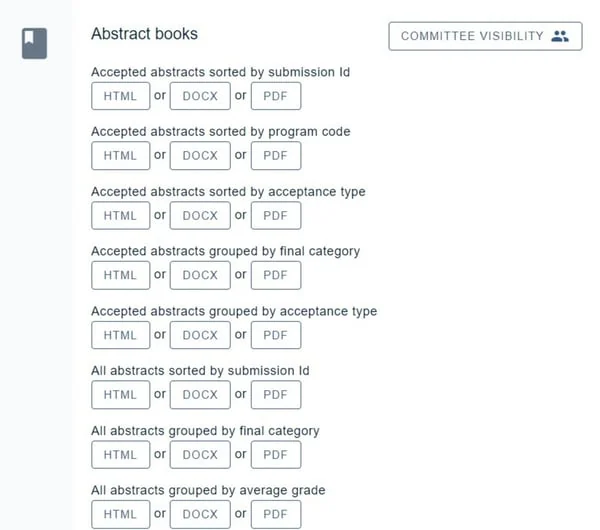
To determine the data that will appear in the abstract books, please go to Question tags.
Downloading individual submissions in a .zip file
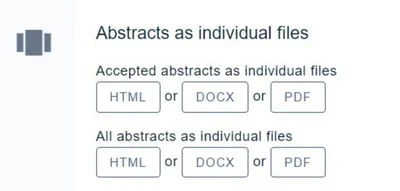
Below is the choice of standard abstract books, you have the option to download all submissions individually.
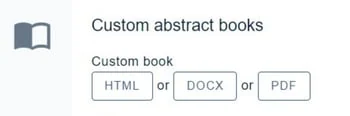
Custom abstract books
Contact Oxford Abstractsif you would like a customised report containing data from your event.
If the standard options do not meet your requirements, you can build your own. Advanced → Custom abstract book is a template editor with a cover, contents and submission-set blocks, and renders to PDF or Word. Advanced → Book builder goes further, letting you write the template yourself with merge fields. Advanced → Spreadsheet builder does the same job for spreadsheets — it is currently in beta.
Note
Although the options for custom abstract books are extensive, they do not cover every custom requirement.
Once these have been created, they will appear in the Custom abstract books section. They are live updated so you can make any changes to your event's data and the changes will be reflected in the abstract books.
Common questions#
I need a report or an abstract book that you don’t seem to offer in your default options.#
Firstly, check all the options available here: Creating exports, reports and abstract books. If you can't see what you need, contact support@oxfordabstracts.com and we will try our best to supply you with what you require.
How do I edit the fields I want to appear in the abstract book?#
The fields are controlled by question tags rather than from the abstract book itself. See Question tags to choose which questions' answers appear.
Was this article helpful?
Contact supportRelated
Still stuck? Send us a ticket
Tell us what you're trying to do and one of our support team experts will come back to you promptly with the solution.