
← Back to results
Making a second/additional submission
For people making a submissionLast reviewed 28 July 2026
If the event settings allow, you can make additional submissions to the same event, if you require.
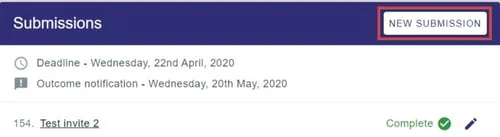
To make a new submission to a conference you've already submitted to, click on New Submission in your personal dashboard.
To make a submission to a new conference that you haven't yet submitted to, follow the link in the conference website or email or contact the Event Administrator.
See also Making a submission and Editing a submission.
Was this article helpful?
Contact supportRelated
Still stuck? Send us a ticket
Tell us what you're trying to do and one of our support team experts will come back to you promptly with the solution.