
Making a submission on behalf of someone else
An account administrator or event administrator can make a submission on behalf of a submitter.
Go to Event dashboard → Scroll to the Submissions panel
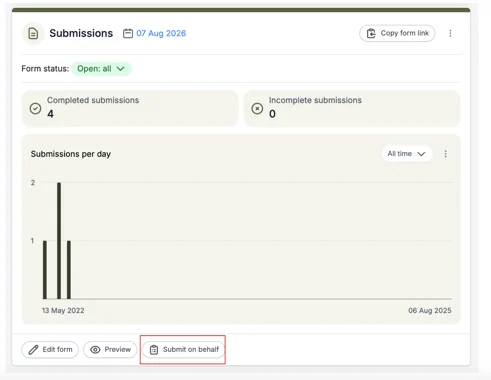
Click on the Submit On behalf button.
Enter the Email address of the person you are making the submission on behalf of.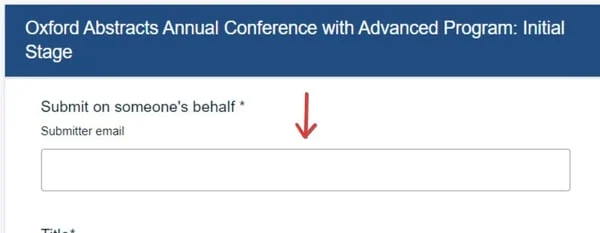
Complete the relevant fields then click Submit. The Submitter will receive an email informing them that a submission has been made on their behalf, which they can view/edit when they log in.
Note
When looking at the submissions table or looking at reports, the submitter you have submitted on behalf of will be shown as Not registered until they create an account in the system.
Was this article helpful?
Contact supportRelated
Still stuck? Send us a ticket
Tell us what you're trying to do and one of our support team experts will come back to you promptly with the solution.