
Networking for attendees
Networking allows attendees to create name tags so that they can connect and chat with each other. This feature is only available in the Professional Conference package.
Note
Delegates can only use chat if they have set up a name badge.
When attendees sign in, they can create badges as shown below, with optional data such as email address, interests, social media profiles and roles.
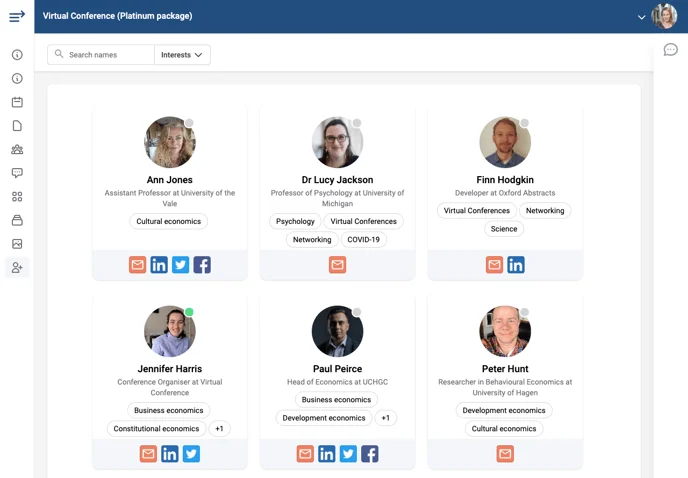
Go to Event dashboard → Conference → Configure → Networking
This will open the Networking panel. In the upper part of the panel you will see:
1) Advanced / Virtual Conference Program - Controlling access
2) Setting up name badges (below)
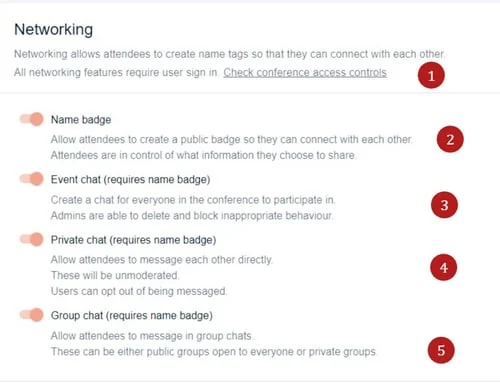
3), 4) and 5) the chat settings Advanced / Virtual Program - Chat feature
Setting up name badges#
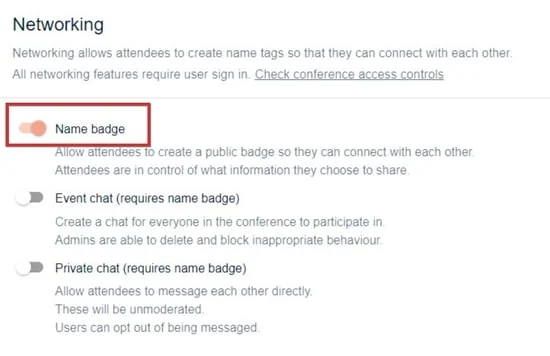
The first step is to enable name badges, which is done by toggling the switch on (pink).
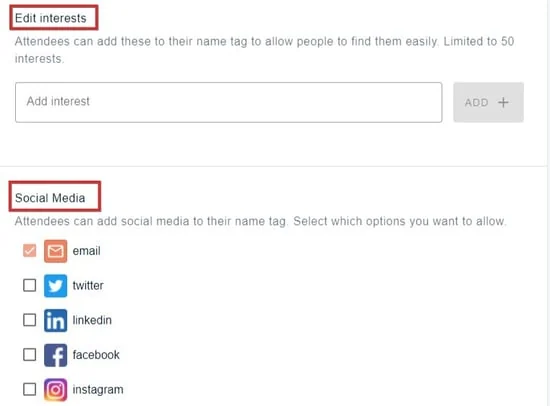
This will then reveal further options. Editing interests and enabling social media profiles
Editing interests#
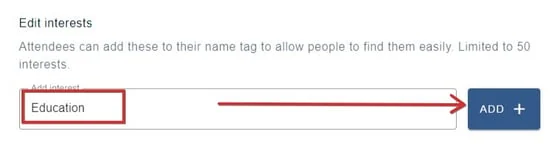
This step is optional. Enter an interest and click add. Continue in this way adding each interest individually (up to 50).
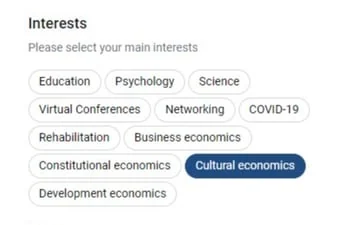
When delegates create their name badges, they can select as many as they require.
Social media profiles#
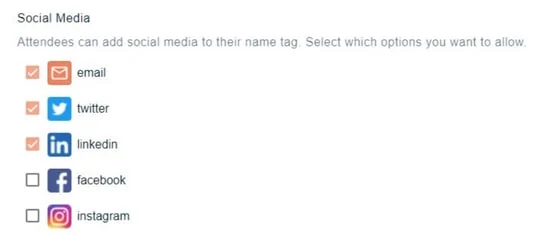
Check all that apply. Changes are saved automatically.
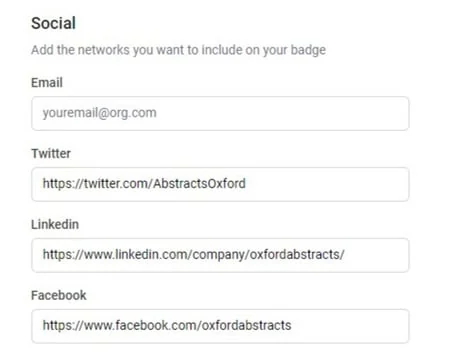
Delegates can add their profiles as below. NB. This is optional
Was this article helpful?
Contact supportRelated
Still stuck? Send us a ticket
Tell us what you're trying to do and one of our support team experts will come back to you promptly with the solution.