
Showing reviews to submitters
By default, reviews are not made available to submitters (just their acceptance status). If you would like submitters to view their reviews, follow the guidance below. It is not available in the FREE package.
Go to Event dashboard → Abstract Management → Reviews → Form & Setup
Click on any question or the +Question button if setting up a new question.
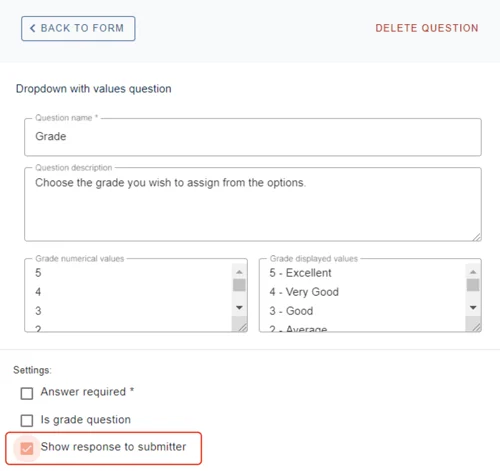
Scroll down, and you will see the tag Show response to submitter.
Check the box if you would like submitters to see the response. Changes will be saved automatically. Go through the rest of the form in the same way.
When you are ready for submitters to see the response, go to your dashboard and scroll down to the Review section.
Click on the drop-down box next to Form Status and tick the box next to Visible to Submitters.
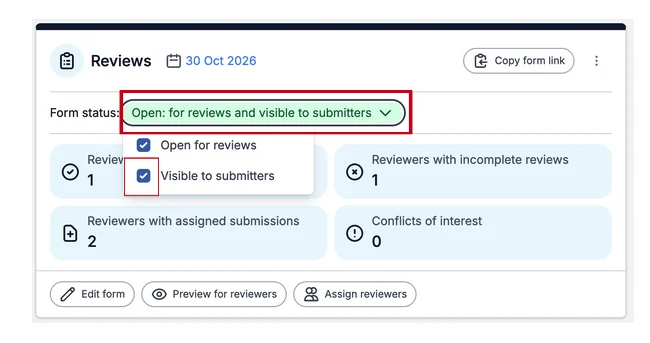
When the submitter logs in, they will see a button which allows them to view their reviews. Reviews will then be available for viewing. (NB - the reviewers names will be hidden)
Was this article helpful?
Contact supportRelated
Still stuck? Send us a ticket
Tell us what you're trying to do and one of our support team experts will come back to you promptly with the solution.