
Downloading your program and session books
You can download a range of reports from your program builder dashboard, if you require.
Go to Event dashboard → Conference → Program → Builder
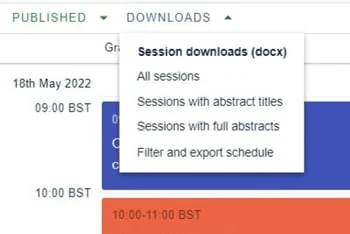
Click on Downloads in the top right of your dashboard, and make your selection.
Session books#
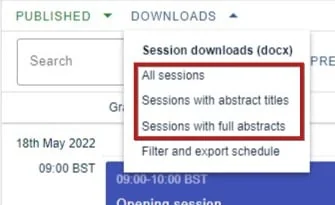
There are three versions to suit your requirements:
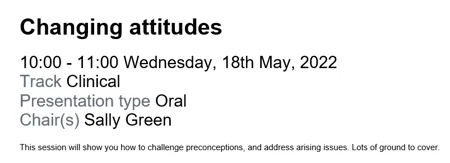
All sessions: A list of all sessions with no abstract information, exported as a Word doc
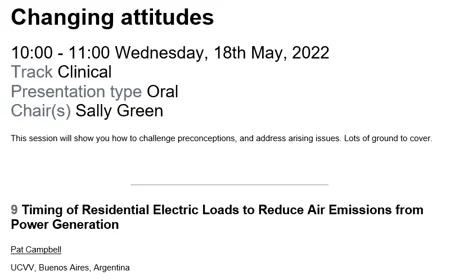
Sessions with abstract titles: A list of all sessions with abstract titles, exported as a Word doc
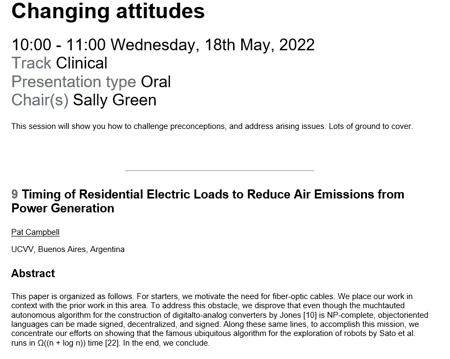
Sessions with full abstracts: A list of all sessions with full abstracts, exported as a Word doc.
Downloading your program#
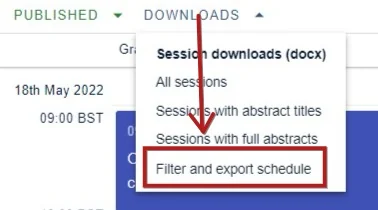
Choose Filter and export schedule
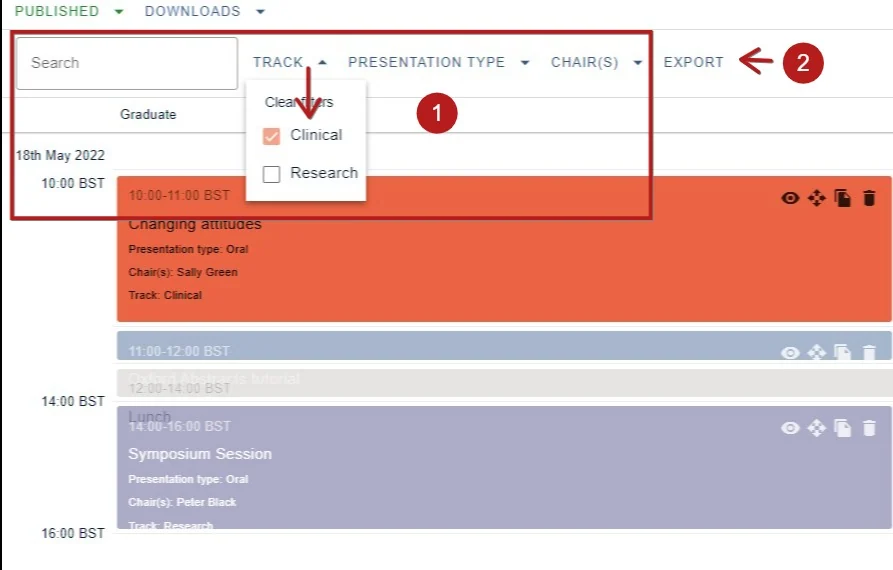
You can download the entire program or, if you require, you can 1) search and / or filter your sessions.
2) Click Export
You can then configure your export download and:
1) Choose the page layout and margins.
2) Choose which columns you would like to export by clicking the down arrow.
3) Choose which of the session detail options you would like to appear in the download.
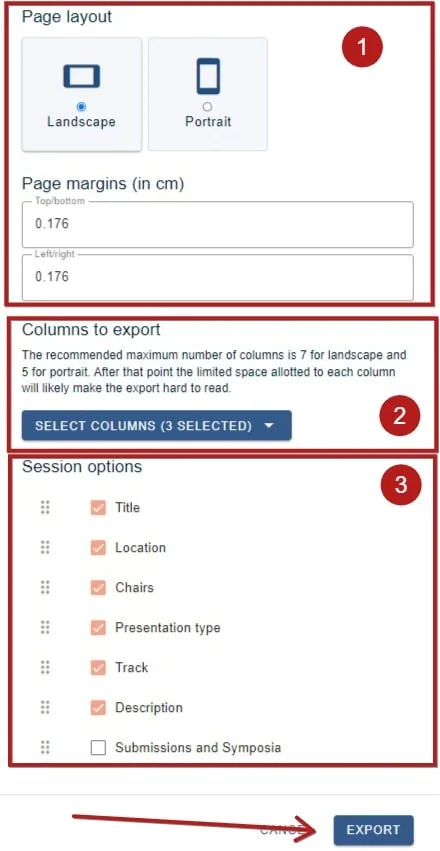
Then click Export when you are ready.
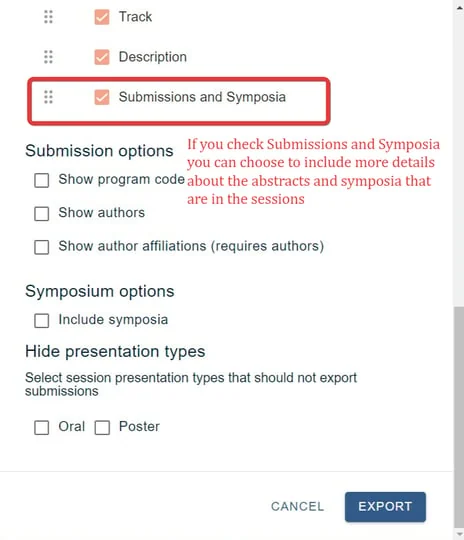
You can also include details of the contents of the sessions, see below for details.
Common questions#
How do I download information from the Conference Program to Word?#
Go to Event dashboard → Conference → Program → Builder and click Downloads at the top right.
All three session book options — all sessions, sessions with abstract titles, and sessions with full abstracts — export as Word documents.
Was this article helpful?
Contact supportRelated
Still stuck? Send us a ticket
Tell us what you're trying to do and one of our support team experts will come back to you promptly with the solution.