
← Back to results
Charging a fee for submission
For event organisersAbstract Management and aboveLast reviewed 29 July 2026
This feature allows you to charge and collect fees from submitters. It is not available in the FREE package.
Submitting, reviewing or attending? This guide is for event organisers. Find help for your role.
Go to Event dashboard → Abstract Management → Submissions → Form & Setup.
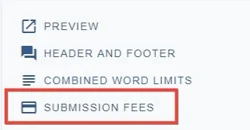
You will see in the top section of the submission form a link to submission fees.
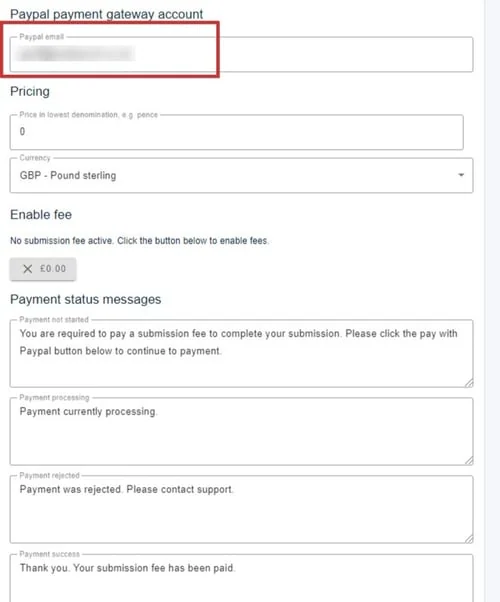
Currently, payments can only be taken via Paypal. Enter the Paypal account email and press return to reveal the set-up form.
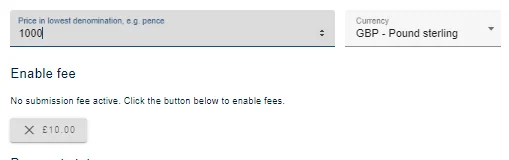
Enter the fee in its lowest denomination.
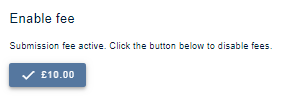
Click the Enable fee button
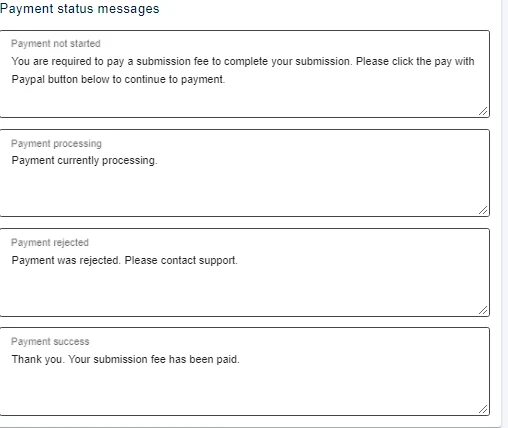
Amend the payment status messages, as required.
Changes are saved automatically.
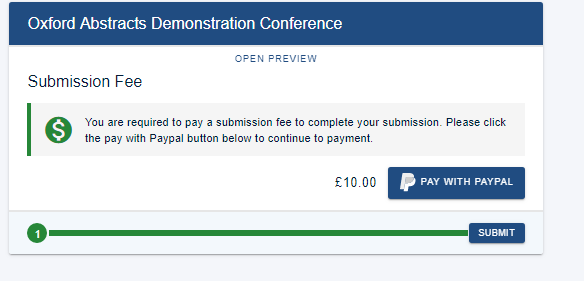
After the submitter completes the form, they will be taken to a payment page, as below.
Was this article helpful?
Contact supportRelated
Still stuck? Send us a ticket
Tell us what you're trying to do and one of our support team experts will come back to you promptly with the solution.