
← Back to results
Registering on the behalf of someone else
For event organisersLast reviewed 28 July 2026
In this article, you’ll learn how to buy tickets to an event for someone else.
Submitting, reviewing or attending? This guide is for event organisers. Find help for your role.
Go to the ticket page for your event.
Select the tickets you would like to order and click on Continue.
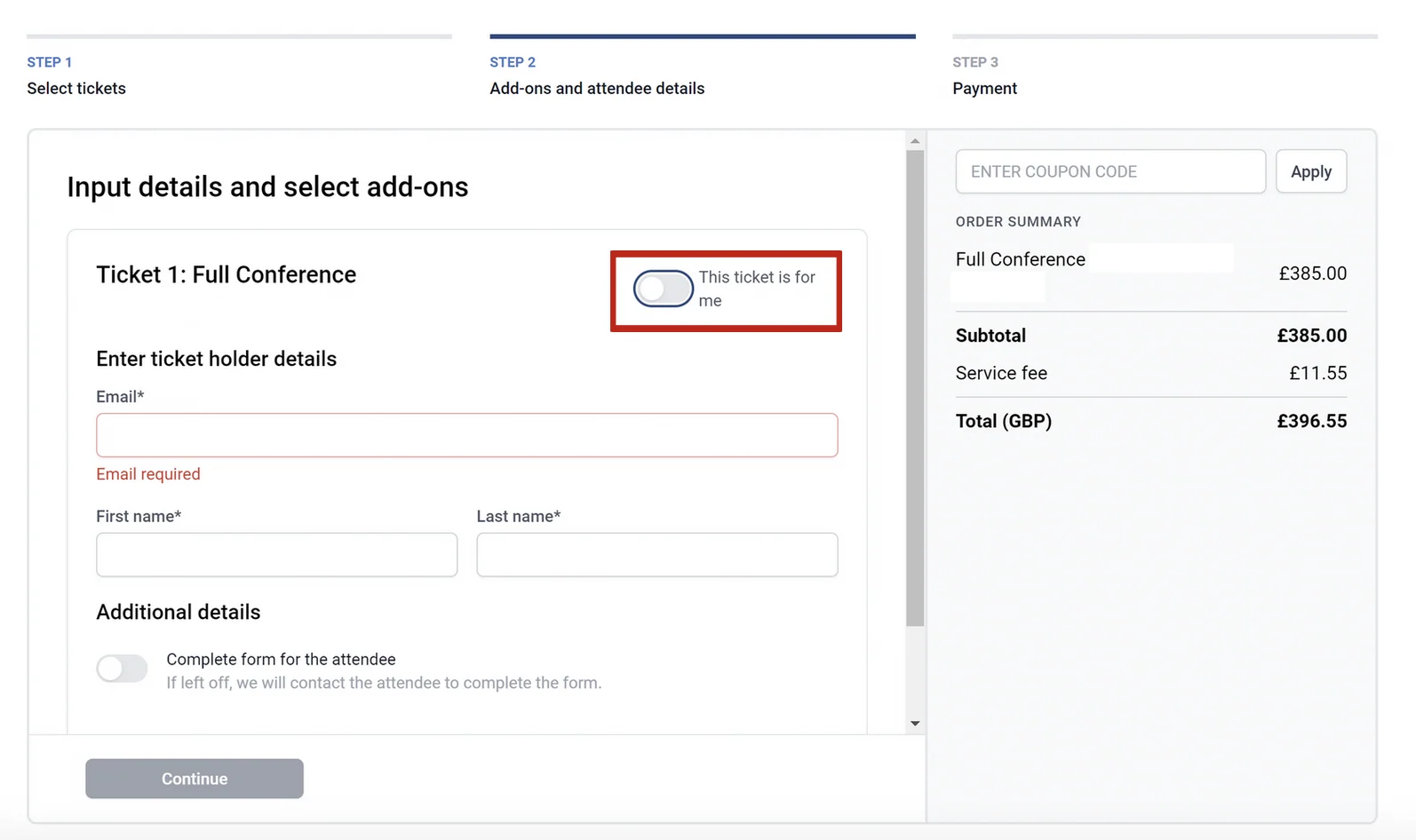
On the next screen, click the toggle off that says This ticket is for me, and then input the correct details of the person you are purchasing the ticket for (Email Address, First name and Last Name).
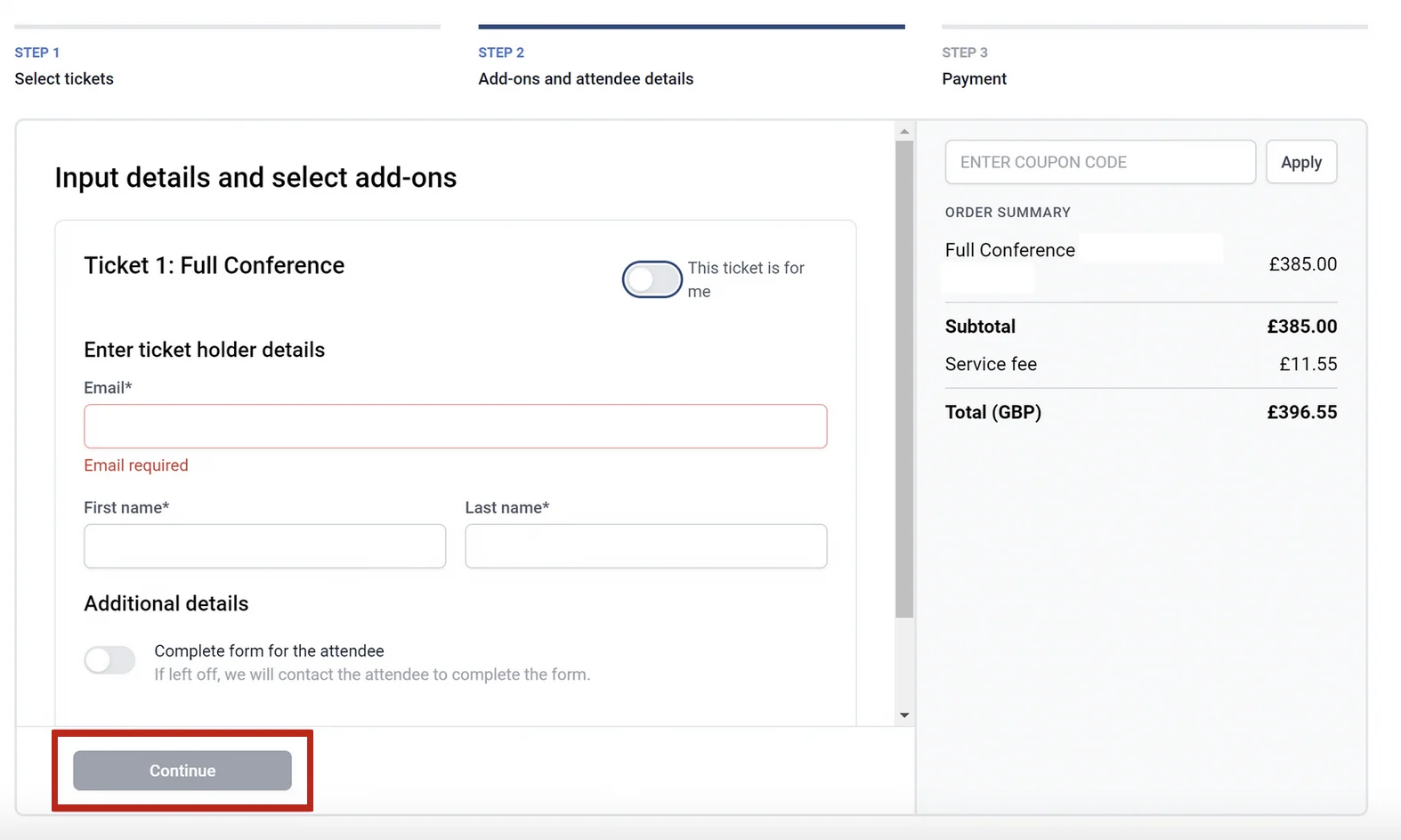
Then click the Continue button at the bottom of the page. This will take you to payment section.
If you should need any further assistance, please get in touch with our Support Team via our Contact Form.
Was this article helpful?
Contact supportRelated
Still stuck? Send us a ticket
Tell us what you're trying to do and one of our support team experts will come back to you promptly with the solution.