
Setting up your program - timezones
Follow the guidance below to set up your timezone.
Go to Event dashboard → Conference →Builder → Settings ➞ Timezone
Note
Your delegates will set their own time zones. See Setting up your conference program account for how this is done.
The Event timezone panel will appear.
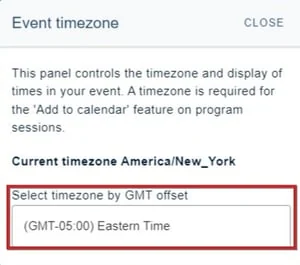
Begin by setting your timezone. Click in the field below.
This will reveal a dropdown list of all timezones. Select the one you require.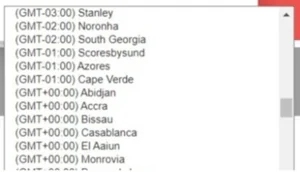
Note
We display a standard list of times that doesn't change in the program builder, so if a country is in summer time then we display the non-summertime timezone in the dropdown.
This is because an event can be at any time of the year, even potentially moving across the date boundary of summer time/standard time.
If you would like your conference to be asynchronous, please follow the guidance above and then hide your time / date display.
Was this article helpful?
Contact supportRelated
Still stuck? Send us a ticket
Tell us what you're trying to do and one of our support team experts will come back to you promptly with the solution.